

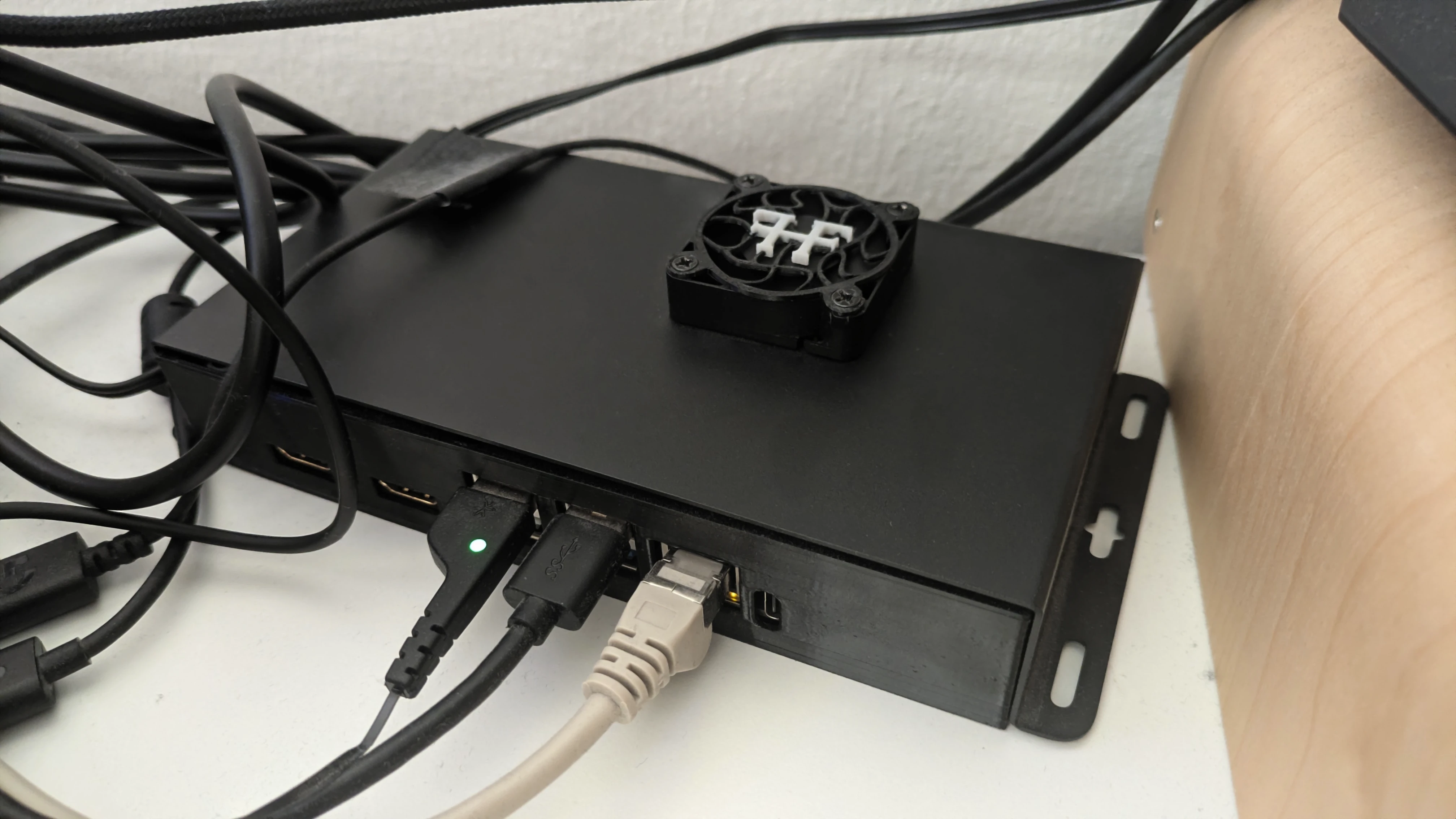
Of course, it doesn’t look like that in reality. I don’t host public infrastructure at home.
The classic internet
To be discoverable outside of the algorithm-driven platforms, you simply set up your own web server and register a domain. With minimal effort, you quickly have a website; your digital business card, perfect for sharing via links in your bio.
With a bit more effort, you add more content and structured data. Then you invite the big tech algorithms: search engines and AI bots index your website. But this time you control the listed platform – a decentralized free state in the classical internet, your showcase for offers and exhibition space for your portfolio. Individual foreign algorithms are just one of many roads leading there. Usually without you needing to worry, your website will be discoverable on a variety of external platforms.
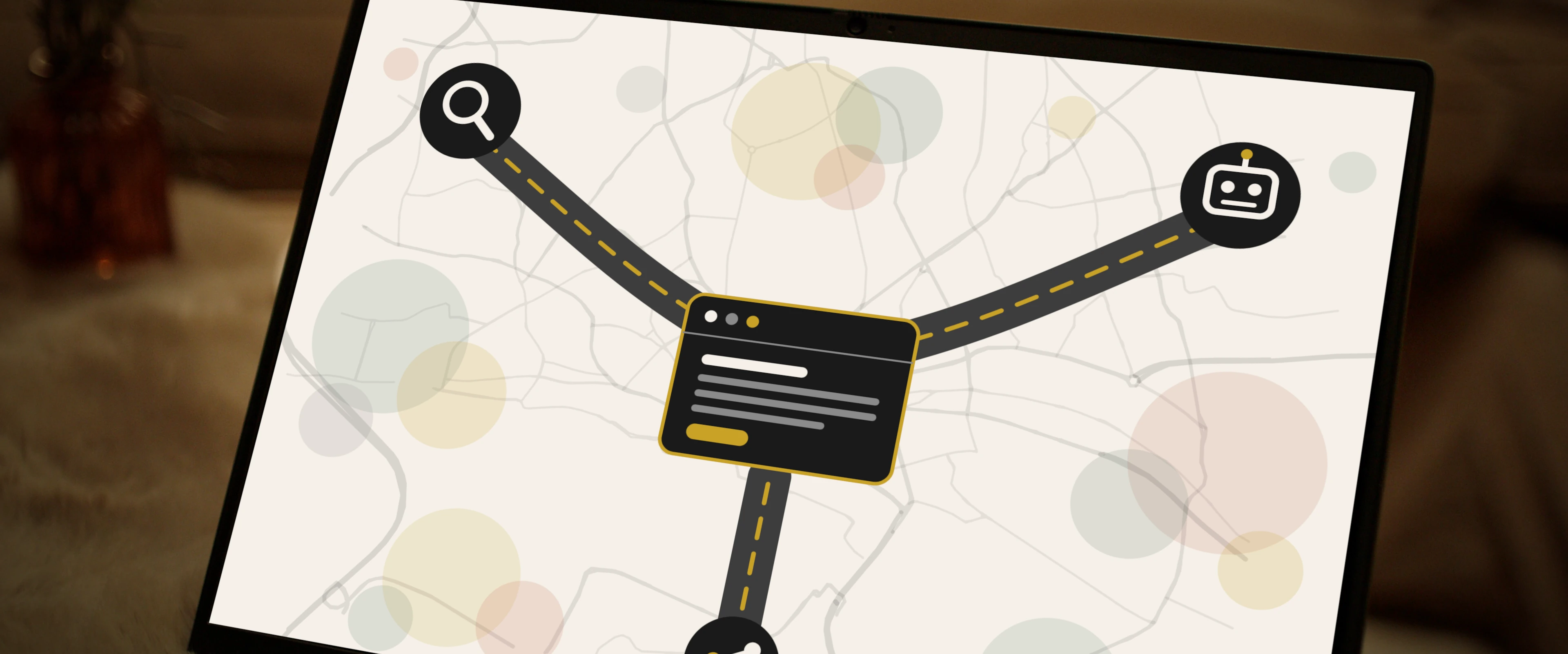 Symbolic image: Your website as your own address on the web; search engines, AI bots, and social links are just three of the roads leading there. Laptop still from our Short Film 925.
Domains & web hosting
As a technically savvy individual who confidently sets up a server in the office or at home, you only need an external contract for a website: domain registration.
For most others, a web hosting contract is also required. Here, you rent your own environment on a shared server – typically with a LAMP stack. Often, the following services are included in such contracts: domain registration, email server, and backups. After initial customer discounts, such a package costs 5–10 € per month at most providers.
More expensive packages should only be booked if you already have initial traffic figures and are seeing limitations. Start small, scale later.
Two paths: Managed or self-hosted
Before signing a contract, be honest with yourself: How much server administration do you really want to handle? This determines which provider type suits you best.
-
Managed – the relaxed path: You rent a web hosting package or a managed server. The host keeps the operating system and server software up to date and secures the server; you only worry about your website. We are satisfied with our web hosting package at dogado – clear management interface, backups included, German support, and server location, fair prices.
-
Self-hosted – the DIY path: You rent an unmanaged VPS or root server and are responsible for everything, from the firewall to the latest security updates. You pay significantly less and learn significantly more. Hetzner (
hetzner.com) has been the price-performance standard here for years and has an excellent community documentation (community.hetzner.com).
A dogado package – whether web hosting, managed server, or VPS – you can happily sign up for through our dogado link trck.dogado.de.
Transparency: The dogado link is a referral link: If you sign up through it, we receive a commission – the price does not change for you. The Hetzner link, on the other hand, is not: Hetzner has discontinued its referral program in mid-2026, yet we still recommend them without any compensation. And if you prefer not to use the dogado tracking link, a standard search will get you there just the same.
LAMP stack
The heart of many web servers is the LAMP stack: Linux, Apache, MySQL, PHP.
-
Linux, the operating system, the foundation for everything.
-
Apache, the HTTP web server. Receives requests from browsers and maps them to files/directories.
-
MySQL, the database server for your website’s data.
-
PHP, the website’s scripting language; together with the database, it assembles your dynamic website.
These components are the standard setup for many hosting packages and a proven practice. Depending on the application, you can exchange some components. Especially with the web server, the database, and the scripting language, there are many common alternatives, which are often preinstalled. However, if you want to install WordPress, then the standard LAMP stack fits perfectly.
Tips for the individual components
-
Linux: Know SSH (remote access) and rsync or FTP (file upload), both are essential for installing and troubleshooting the web server. Depending on the hosting provider and contract, you may have limited permissions and the installation of applications is instead possible through an automatic dashboard.
-
Apache: Know the .htaccess file: It regulates access, security, and caching rules for each directory.
-
MySQL: Common alternatives are MariaDB and PostgreSQL. Learn how to manually save a backup. The hosting provider’s automatic backups can sometimes fail silently and might not be recoverable in an emergency.
-
PHP: Common alternatives are Perl, Ruby, Python. These are to be chosen based on the desired application. Manual script changes are rarely recommended.
Content Management Systems (CMS)
If you want to present a portfolio of your works, a Content Management System (CMS) helps you immensely. You create posts and pages, which are automatically integrated into a navigable interface. After setup: simply write a new post, upload pictures and perhaps videos – done!
If your website leans more towards a webshop and e-commerce, a CMS alone is not enough, and you must act very consciously. However, that is a separate topic.
The most popular CMS is WordPress. It has a huge community, is open-source, and free to use (hosting and plugins charged separately). Self-help resources can be found quickly, there are many tutorials, and it is relatively easy to use. As a starting point, I recommend the official learning platform: learn.wordpress.org.
A CMS is not always necessary; for pure portfolio pages, static website frameworks are also sufficient. These are often geared towards technically skilled users. Nevertheless, I want to highlight two of them:
-
Quartz, perfect if you already use Obsidian (
obsidian.md) as a note-taking tool or know Markdown. It converts Markdown files into a webserver directory with a familiar Obsidian look:quartz.jzhao.xyz. -
Hugo, a classic framework based on Markdown, also suitable for more complex sites. It is more suitable for web developers with some experience:
gohugo.io.
Before going live with your fresh website, there’s still some due diligence missing: Impressum, data protection, security, and backups. The topic is so comprehensive that it deserves its own post: funeralhomefilms.de
AI & MCP in Website Administration
With the current developments in AI, there are now several AI-powered tools that can help with website administration.
Some tasks can be delegated to AI usefully, as long as you know what you’re doing and use AI in an appropriate context.
What worked for us
AI assistants are good at tasks that are clearly defined and verifiable:
-
Perform SEO audits: systematically go through a long list of technical findings and suggest solutions. This is laborious work with a clear target state, making it ideal for AI per MCP, and it remains well controllable for us.
-
Develop server configuration: formulate caching, CORS, and security rules for the .htaccess. All suggestions should first be manually reviewed after understanding, as MCP would be too risky in this context.
-
Debugging: if for example a firewall rule suddenly becomes too restrictive and blocks legitimate requests, AI can very well assist in diagnosing the problem and solving it. However, particularly in the context of firewalls, it is important to understand the AI’s suggestions.
Tasks with clear goals where a comparison between target and actual state is possible are particularly well suited for delegation to AI. As soon as MCP is involved and the execution of code within the website or even shell access to the server becomes possible, extreme caution is advised.
Maintainability, security, responsibility
Once you use AI, you should urgently consider the following aspects:
-
Maintainability: Randomly using prompts and unchecked incorporation of AI suggestions is a significant maintainability risk. Every code snippet and configuration line you do not understand is borrowed complexity. If something later breaks or does not behave as desired, you will be solely responsible for this complexity, at worst the AI may no longer understand why things are as they are.
-
Security: An MCP interface is full access to your website - content, settings, and sometimes executable code. Understand what the interface allows before you open it. The same security risks apply to manual copy-paste adoption of code from an AI.
-
Data protection: content that passes through AI tools leaves your server and goes to the provider of the AI model - usually in the USA. For public blog posts, this isn’t a concern, as they might at most be used for future model training (not that the entire internet is already present in the training data anyway). Personal data of visitors, customers, or team members have no place in such tools.
Generally, a computer cannot take responsibility. Ultimately, you are responsible for your website, your code, and your content - regardless of who or what helped in creating them.
MCP in practice
Technically, this works for us through Jordy Meow’s WordPress plugins (Meow Apps meowapps.com). All plugins are available under a freemium model and so far our usage remains within the scope of the free version.
Objectively speaking, the plugins do what they promise, and the MCP connection runs stable with us. One should, however, be aware of what one sets up – the interface is a very powerful remote access to one’s own website. Particularly when you touch content copy with MCP, you should stay disciplined; we already have plenty of AI slop on the internet. As a proofreading tool, an AI can go through your texts and improve sentence structure and grammar. Everything that goes beyond that quickly ends in empty and soulless texts – sometimes with false claims.
Our setup at funeralhomefilms
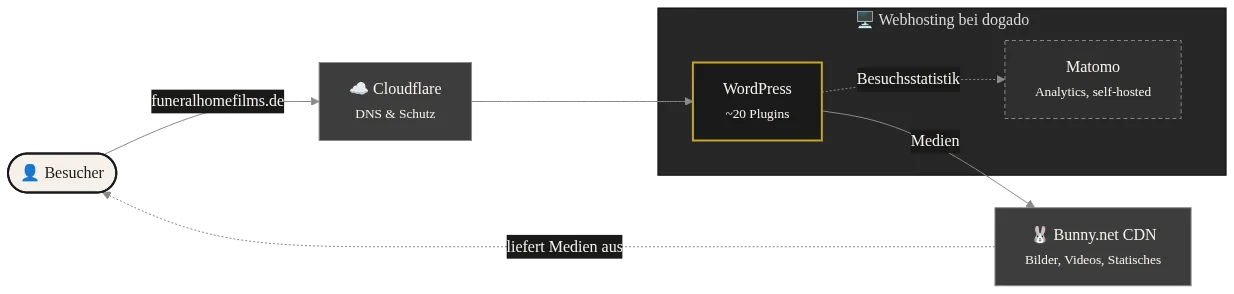
What it really costs
And to be able to put the budget into perspective, here are our ongoing costs:
-
Hosting (including web hosting and domain): 6 € / Month, if you only want to operate your website.
-
Hosting upgrade: 13 € / Month, if you want to run additional services like Matomo and various others on the same package.
-
CDN (usage-dependent): 1 € / Month
-
Plugin licenses: 25 € / Year
-
Cloudflare: free tier
Bottom line: For a pure portfolio website, you end up with nearly 100 € per year. If you want to host additional services like us, it’s nearly 200 € per year.
But the most honest cost point is not Euros: it’s time. Updates, occasional debugging, keeping legal texts up-to-date – count on a few hours per month, plus sporadic peaks when something breaks or needs rebuilding. Running one’s own website is a small project with ongoing time costs, and that should be clear to you before you start.
Conclusion
Having your own website isn’t witchcraft – but it’s also not a self-driving vehicle. If you’re willing to invest a few hours a month and occasionally troubleshoot, you get something no platform can offer: a place on the net that belongs to you, with rules you set, and that doesn’t vanish when an algorithm’s mood changes.
And if not: that’s fine too. Then a website builder or staying on an Instagram page might be the more honest choice for you – less sovereignty, but also less responsibility. This guide awaits here, in case you change your mind.